How do I login to Microsoft Teams?
- Download the Microsoft Teams app from your phone’s app store
- Sign in to Microsoft Teams on your phone using your Australia Post account details (these will be the same details used to access the OurPost dashboard)
- Follow the on-screen prompts to complete the sign-in process (this may be verification using a Passkey, an SMS code, or the Microsoft Authenticator app)
- If you have forgotten your password it can be reset at https://passwordreset.microsoftonline.com/. Alternatively, you can contact myIT on 132 131.
What will Microsoft Teams and Viva Engage help my team with?
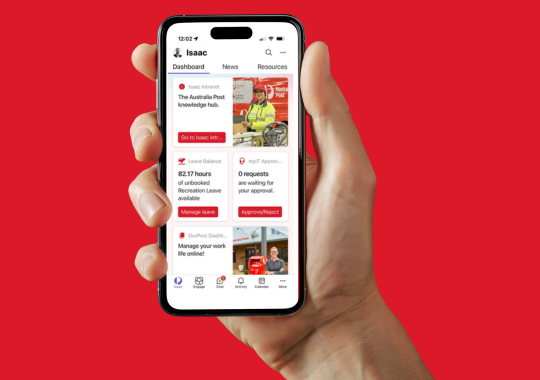
For the first time, we’re making Microsoft Teams available to your team, so that they can stay connected with one another, and with the wider business through Viva Engage. The Isaac Hub within Microsoft Teams provides personalised access to the OurPost dashboard and other tools, news, events and much more.
OurPost dashboard session times last 7 days, so you don't need to constantly sigh in over and over again!
Microsoft Teams makes it easy for you to instantly chat with your team on your phone in a safe and secure space.
It also gives you access to Viva Engage, our internal social channel, that connects you with the wider Australia Post team. This allows you to ask questions, provide feedback, and share your stories with all our team, right across Australia.